
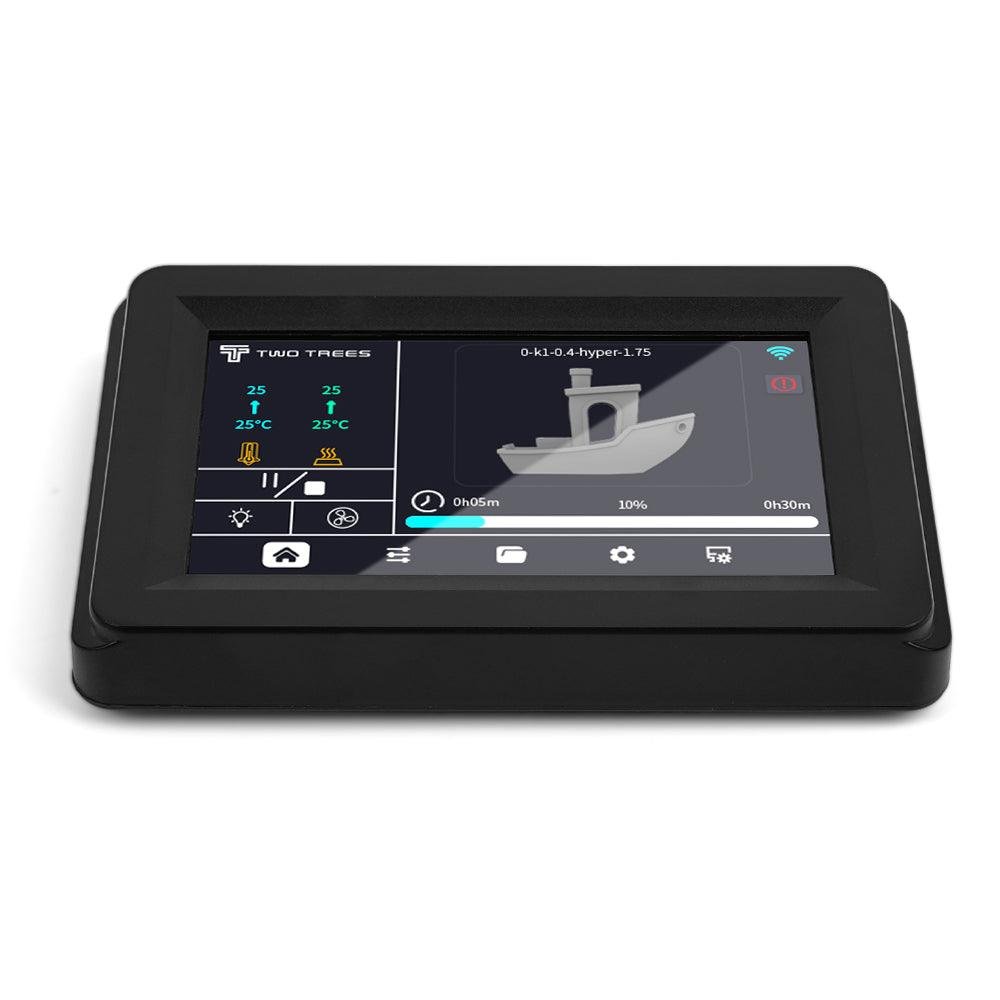
Twotrees Touch Screen for SK1 3D Printer
Twotrees SK1 3D Printer Touch Screen Compatible models: Twotrees SK1Ready to use: Designed specifically for SK1 3D printers, easy to install
Overview
The Twotrees Touch Screen for SK1 3D Printer is a simple upgrade aimed at owners of the Twotrees SK1 who want a more modern, finger-friendly interface than the stock controller. Marketed as a ready-to-use replacement for the SK1’s original display, it’s designed to drop in with minimal fuss and bring touchscreen controls to the printer.
At a guide price around USD 39.00, it sits in the budget-friendly end of the accessory market for basic touchscreen panels. It’s a targeted accessory rather than a complete electronics overhaul — if you’re looking for a more convenient way to manage prints and tweak settings directly from the printer, this is the sort of item that can deliver a meaningful UX improvement for not much money. As always, check the retailer page for the latest price and availability before buying.
Who is this best for?
This touchscreen is best suited to Twotrees SK1 owners who want a straightforward, inexpensive upgrade to the printer’s user interface. It’s aimed at users who:
- Prefer a touchscreen over a rotary knob or small monochrome LCD for everyday tasks like starting prints and changing settings.
- Want an easy-to-install part designed specifically for their SK1, rather than a generic aftermarket display that may require extra wiring or adapters.
- Value convenience and a cleaner look more than extensive new features — this is an interface upgrade, not a performance or motion-system enhancement.
If you frequently control your SK1 via a PC, OctoPrint or similar remote interface, the touchscreen is less essential. Likewise, if you are planning to overhaul the whole control board or switch to an alternative firmware and hardware platform, you may prefer to wait and choose a display that matches the new electronics.
Key features
- Compatibility: Designed specifically for the Twotrees SK1 3D printer, so it aims to be a plug-and-play replacement for the stock display.
- Ready to use: Promoted as easy to install; intended as a drop-in upgrade with minimal configuration.
- Touchscreen interface: Replaces traditional controls with a touch panel for more direct, finger-driven control.
- Budget price point: Positioned as an affordable way to modernise the SK1’s user experience without replacing mainboard or firmware.
Because this product is an accessory designed to work with a specific printer model, the most important features are compatibility and ease of installation. It’s not a full electronics upgrade, so don’t expect additional motors, sensors or changes to printing capability.
Practical evaluation
Replacing a stock display with a dedicated, model-specific touchscreen generally follows a predictable pattern: power down the printer, remove the old controller, disconnect the existing ribbon or header cables, and fit the new panel where the old one sat. The Twotrees part is described as ready to use and easy to install, which suggests the necessary connectors and mounting dimensions have been matched to the SK1. That should keep the job simple for anyone comfortable with basic disassembly and reassembly of the printer’s casing.
Before you buy, however, check a few practical points. First, confirm that the package includes any screws, cables or brackets you’ll need. Some third-party displays rely on you reusing parts from the original controller, while others include a full replacement kit. Second, look for clear installation instructions or a link to a manual or video from the seller; having step-by-step guidance saves time and avoids potential mistakes during wiring.
Once fitted, a touchscreen typically changes how you interact with the machine. Routine tasks such as selecting print files, preheating the nozzle and bed, or adjusting temperatures can be quicker with taps than with a rotary encoder. Menus are often more intuitive on a touch interface, reducing the need to memorise button sequences or scroll through long lists with a knob.
Bear in mind three practical caveats. One: depending on firmware and connector types, advanced features accessed from the original controller may be rearranged or labelled differently on the touchscreen. Two: some inexpensive displays use basic touch controllers that aren’t as responsive or accurate as higher-end panels — this usually doesn’t affect printing but can be mildly annoying for navigation. Three: if the touchscreen changes how the firmware expects input, you might need a firmware update for full functionality; check the product listing and Twotrees support resources before swapping hardware.
In day-to-day use, a touchscreen’s benefits are most noticeable when you’re working at the printer: quick file selection, clearer status information and straightforward manual adjustments make shorter tasks feel cleaner and faster. If you mainly manage prints from a computer or networked interface, you’ll still get a nicety rather than a necessity.
Strengths
- Designed for the SK1: Model-specific design reduces the risk of compatibility problems and should simplify installation.
- Simple upgrade path: For owners who want a modern interface without changing boards or firmware, this is a low-friction option.
- Improved usability: Touch control is usually more intuitive than a knob and small monochrome screens, especially for beginners.
- Affordable: Being a budget-friendly accessory makes it easy to justify as a small enhancement rather than a major investment.
Limitations
- Not a full electronics upgrade: This is an interface replacement only — it won’t change the printer’s motion systems, hotend capabilities or print quality.
- Potential firmware considerations: Depending on the SK1 firmware version, some features may need configuration to work optimally with the new touchscreen.
- Unknown longevity: Low-cost accessories can be variable in build quality; touchscreen responsiveness and durability may vary between units.
- Limited to SK1: If you plan to move the display to another printer model later, compatibility is not guaranteed.
Pricing and value
The Twotrees touchscreen sits at the budget end of the market for basic graphical displays. At the guide price advertised it represents a low-cost way to modernise your SK1’s controls, particularly if you value the convenience of a touch interface for everyday interactions. Compared with a full-board upgrade or a higher-end display, the initial outlay is small and the payoff — faster, clearer control of the machine from the front panel — is immediate.
Value will depend on how you use your printer. If you already rely on remote control from a computer, the touchscreen is mainly a convenience rather than a productivity booster. For hobbyists who frequently use the printer’s onboard controls, it’s more likely to feel worthwhile. Always double-check the retailer listing for the current price and promotions, and confirm exactly what is included in the box to avoid surprises.
Note: offers and prices can change, so check the retailer page before making a purchase.
Alternatives
If you’re considering a touchscreen upgrade for the SK1, there are several alternative approaches to think about before committing:
- Stick with the stock controller: If you’re happy with the existing interface or primarily control the printer remotely, you may not need an upgrade at all.
- Official or OEM replacements: If Twotrees offers an official display upgrade or a manufacturer-branded panel, those can provide better assurance about compatibility and firmware support.
- Third-party touchscreen kits: There are generic touchscreen displays available that work with multiple printers. These can be more flexible but may require extra wiring, adapter cables and firmware changes.
- Controller board upgrades: If you’re planning bigger changes — new mainboard, different firmware or advanced features such as touchscreen-driven macros and additional UI functions — investing in a controller upgrade (board plus display) may be more future-proof.
- Remote management options: For many users, a networked controller like OctoPrint (running on a Raspberry Pi) offers more control and convenience than any onboard display. It’s not a direct replacement for a touchscreen if you want front-panel control, but it’s an alternative way to modernise how you interact with the printer.
Choosing between these options depends on how much you want to spend, how comfortable you are with firmware and wiring changes, and whether you prefer a local or remote control experience.
Final verdict
The Twotrees Touch Screen for SK1 3D Printer is a focused, affordable accessory that does one job: it replaces the SK1’s original interface with a touchscreen designed to fit the machine. For SK1 owners who want a cleaner, more intuitive front-panel experience without changing firmware or mainboard, it’s a sensible, low-cost upgrade.
It won’t improve print quality or add new mechanical capabilities, and buyers should check compatibility details, included parts and installation instructions before purchasing. If you primarily use remote controls for printing, the touchscreen is a convenience rather than a necessity; if you prefer hands-on control at the machine, it’s likely to make routine tasks quicker and more pleasant.
Overall, this is a practical, budget-friendly option for SK1 owners who want the convenience of a modern touch interface without the expense or complexity of a full electronics overhaul. Just be sure to confirm price and availability with your chosen retailer before buying, as offers and stock levels can change.
Ready to check Twotrees Touch Screen for SK1 3D Printer?
Check the latest offer before buying, then return to the main comparison if you want to compare it against the other shortlisted options.
Also featured in
This product also appears on these price comparison pages:
Compare this with the full shortlist
Return to the full comparison guide to see how this product compares against the other shortlisted choices.