
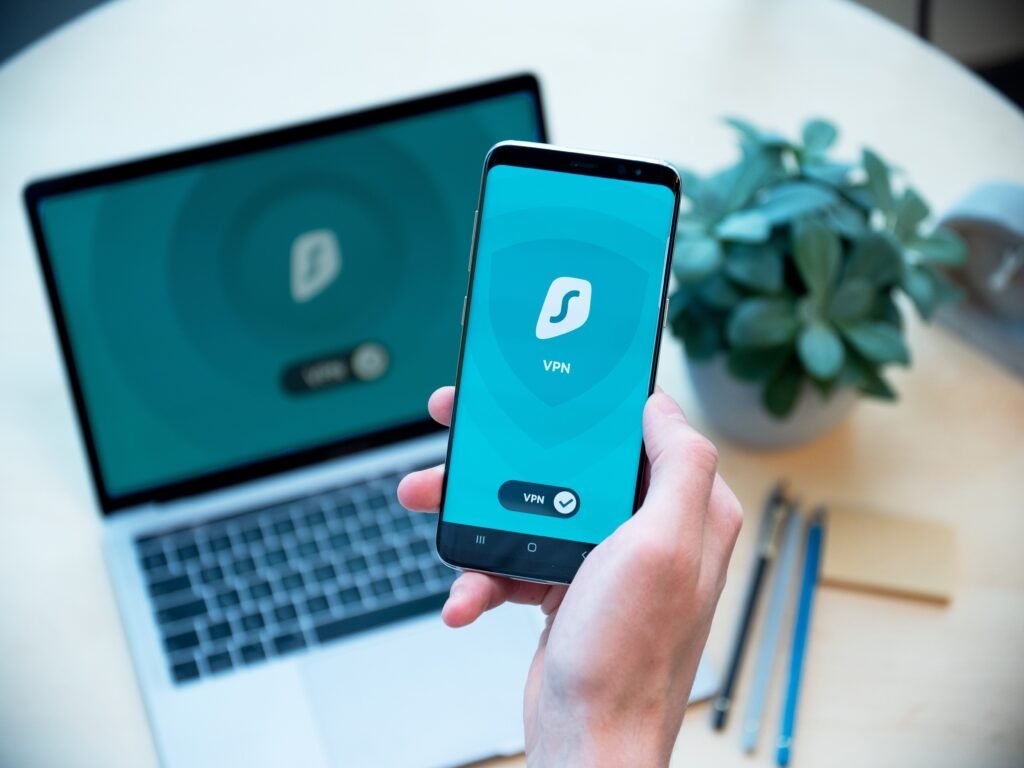
Surfshark
Surfshark is ranked number one because it combines unlimited devices, easy apps, strong everyday privacy tools and a lower long‑term deal price than many premium rivals.
Overview
Surfshark is ranked number one in our comparison for combining broad device support, straightforward apps and useful privacy tools at a price point that often undercuts premium rivals over the long term. It supports unlimited simultaneous connections, provides apps for Windows, macOS, iOS, Android, Linux and browsers, and runs a server network of more than 4,500 servers across 100+ countries. Built‑in extras such as CleanWeb (ad, tracker and malware blocking), Bypasser split tunnelling, MultiHop and rotating IP options broaden its appeal beyond basic VPN use.
This review explains who Surfshark is best suited to, details the features you should know about, discusses practical buyer considerations and limitations, and suggests when you might look at other options. Offers and renewal prices can change; always check the current deals and renewal terms before you purchase.
Who is this best for?
Surfshark is primarily aimed at people and households who want an affordable VPN that will work across many devices without complicated setup. The unlimited device policy makes it especially attractive for families or users who carry multiple gadgets—desktop PCs, laptops, phones, tablets and browser sessions can all run under a single subscription.
It is also a good match for users who value convenience and sensible privacy features rather than deep technical customisation. If you want an app that is easy to install and use on mainstream platforms and comes with sensible extras like ad and malware blocking, split tunnelling, and options for chaining connections (MultiHop), Surfshark provides a balanced set of tools.
However, if you are an advanced or technical user who needs very granular control over tunnelling protocols, custom routing rules, or enterprise‑grade management features, you may prefer a more technical or business‑focused solution.
Key features
- Unlimited device connections — One subscription can protect an entire household of devices at the same time.
- Large server network — 4,500+ servers in 100+ countries, giving you broad geographic coverage for general privacy, location choice and load distribution.
- CleanWeb — Built‑in ad, tracker and malware blocking to reduce unwanted content and tracking while you browse.
- Bypasser split tunnelling — Lets you choose which apps or websites use the VPN and which don’t, useful for local services or banking that might block VPN traffic.
- MultiHop and rotating IPs — Options to route traffic through multiple VPN servers or to regularly rotate IP addresses for extra anonymity or to avoid IP‑based throttling or blocks.
- Kill switch — A standard safety feature that stops traffic if the VPN connection drops, preventing accidental exposure of your real IP address.
- Platform coverage — Apps for Windows, macOS, iOS, Android, Linux and browser extensions make Surfshark usable across commonly used devices.
- 30‑day money‑back guarantee — A trial period to test the service with the option to request a refund if it doesn’t meet your needs.
Practical evaluation
Functionally, Surfshark concentrates on delivering a smooth, accessible experience for everyday VPN users. The unlimited device allowance is the single biggest practical benefit for many households: rather than juggling licenses, you can install apps on all family members’ devices and protect everything from phones to smart TVs that support VPN clients or browser streaming.
The app ecosystem covers the most common consumer platforms. Expect a typical installation flow: download the app for your platform, sign in with your account, and connect to a server. The inclusion of Linux is useful for users who run lightweight machines or servers and want a command‑line option, while browser extensions provide quick on/off access when you only need to secure a browser session.
CleanWeb adds a level of convenience: by blocking ads, trackers and known malware domains at the VPN level, it can reduce clutter and reduce some privacy risks without extra browser add‑ons. Bear in mind that no ad blocker is perfect; CleanWeb helps with many annoyances but will not eliminate every advert or tracking technique.
Bypasser split tunnelling is particularly useful in mixed‑use environments. For example, you might route your browser and streaming apps through the VPN while letting a local banking app connect directly to avoid geo‑blocks or verification issues. Split tunnelling is also helpful for conserving bandwidth on local network devices while keeping sensitive traffic secure.
MultiHop and rotating IP options cater to users who want an extra layer of obfuscation. MultiHop routes traffic through two servers instead of one, which can improve anonymity at the cost of higher latency. Rotating IPs periodically change the IP address assigned to your session, which can help when sites attempt to block IP addresses tied to VPN providers. These are optional features rather than default behaviours—use them where they match your threat model or needs.
Streaming and performance are common buyer concerns. Surfshark typically does well for general browsing, streaming and light file transfers, but streaming results can vary by service and location—some streaming platforms actively block VPN‑sourced IPs and their effectiveness can change over time. If specific streaming capability is essential to you, use the 30‑day money‑back guarantee to test the services you rely on before committing to a long subscription.
Privacy and safety features like the kill switch, secure tunnelling and CleanWeb help cover the essentials for most users. For people who demand forensic levels of control (custom routing tables, self‑managed servers, or in‑depth protocol configuration), Surfshark’s user‑friendly approach may feel limiting compared with enterprise or specialist privacy tools.
Strengths
- Unlimited devices on a single subscription—excellent value for families and multi‑device households.
- Broad platform support with simple apps for desktop and mobile.
- Helpful extras such as CleanWeb and Bypasser that make everyday use more convenient and secure.
- Large server network that improves the odds of finding a nearby, less congested server.
- Typically strong long‑term pricing on extended plans compared with many premium competitors.
- 30‑day money‑back guarantee gives you time to check compatibility with the services you use.
Limitations
- Renewal pricing can increase after the initial discounted term—check the renewal rate before subscribing.
- Advanced users may find the level of technical control limited compared with specialist or enterprise solutions.
- Streaming performance varies by service and location; some platforms may block VPN traffic intermittently.
Pricing and value
Surfshark positions itself as one of the better‑value paid VPNs, especially if you commit to longer plans where the initial per‑month cost is often lower than many premium rivals. The unlimited‑device feature alone can offer considerable value for households that would otherwise need multiple subscriptions. The 30‑day money‑back guarantee also reduces the risk of trying the service.
That said, the one detail to watch carefully is renewal pricing: introductory or promotional rates may be attractive, but the recurring cost after the first term can be higher. Before purchasing, check the current offers, the length of the initial term, and the renewal price so you know what you will pay in the long run. If you prefer predictable ongoing costs, shorter plans can be a safer route—even if the monthly rate is higher—because you re‑evaluate renewal more often.
Alternatives
If Surfshark’s blend of features and price doesn’t precisely match your needs, consider these alternative approaches rather than a specific brand name:
- Premium performance and streaming focus: If you prioritise the fastest possible performance for high‑bitrate streaming and consistent access to a particular streaming catalogue, look for services that explicitly promote streaming as a core feature and provide up‑to‑date server lists tuned for media access. Expect to trade some value for that consistency.
- Technical control and enterprise features: Organisations or advanced users who require granular protocol choices, custom routing, or centralised device management should examine business‑oriented VPNs and solutions built for enterprise deployment.
- Budget single‑device use: If you only need to protect one or two devices and cost is the sole priority, a cheaper single‑device service or a short subscription with Surfshark may suffice—compare the per‑device pricing across options to find the best fit.
- Privacy‑first tools: For users with a high‑risk threat model who need the most rigorous anonymity practices, consider services and configurations that emphasise minimal logging, external audits and advanced obfuscation features. Always verify claims via independent audits and published policies.
Final verdict
Surfshark is a sensible, well‑rounded choice for most households and general users. Its unlimited device policy, simple cross‑platform apps and useful extras such as CleanWeb and Bypasser make day‑to‑day privacy and convenience easier to manage. The large server network and MultiHop/rotating IP options give extra flexibility for users who need occasional enhanced anonymity.
The main caveats are renewal pricing and the fact that streaming success can vary depending on which services and regions you rely on. Advanced users who need fine‑grained technical controls may also find the product’s simplicity limiting.
Overall, Surfshark is recommended as the best overall value VPN in this review for multi‑device households and users who want an approachable, feature‑rich service without premium pricing. Be sure to check current offers and renewal pricing before buying, and use the 30‑day money‑back guarantee to confirm it meets your specific needs.
Ready to check Surfshark?
Check the latest offer before buying, then return to the main comparison if you want to compare it against the other shortlisted options.
Compare this with the full shortlist
Return to the full comparison guide to see how this product compares against the other shortlisted choices.