
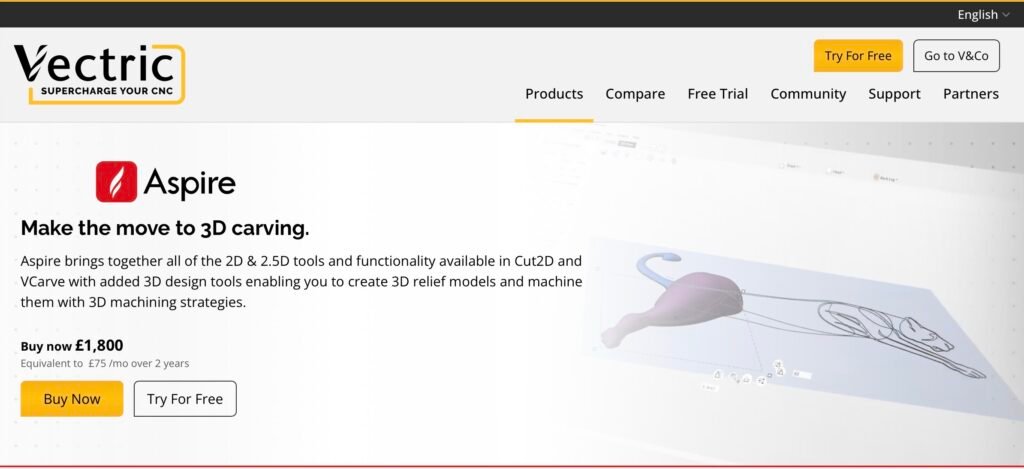
Vectric Aspire
Comprehensive CAD/CAM focused on high‑quality 2.5D and 3D toolpaths, carving and finishing — strong for artistic and production work.
Overview
Vectric Aspire combines a user-focused design environment with a deep set of CAM features targeted squarely at router users. Unlike general-purpose CAD/CAM tools that split 2D drawing and 3D toolpathing into separate packages, Aspire brings integrated 2D and 3D modelling together with relief creation tools and a wide range of toolpaths tailored for router work. This makes it an attractive one-package workflow for artistic relief carving, signmaking and production tasks that require tight control over finishes, feeds and nesting.
Vectric positions Aspire as a feature-rich, router-orientated solution rather than an entry-level product. It includes extensive options for finishing passes, stepover control, and a tool database, along with nesting and layout tools to maximise sheet usage. If your work mixes detailed 3D reliefs with traditional 2D sign and profile machining, Aspire aims to reduce the need for juggling multiple applications and file exchanges.
Who is this best for?
Vectric Aspire is best suited to woodworkers, signmakers and small-to-medium production workshops that use routers to produce both artistic and functional pieces. Typical users who will get the most value from Aspire include:
- Signmakers who combine cut-and-engrave jobs with complex 3D reliefs and text effects.
- Furniture makers and cabinet workshops that want nesting and sheet layout tools to reduce waste and speed production.
- Artists and makers working in relief carving, decorative mouldings or inlays who need advanced finishing strategies to achieve a high-quality surface.
- Shops that prefer a single, coherent application for design, job layout and CNC toolpath generation rather than a chain of separate programs.
By contrast, hobbyists who only need basic 2D cutting, or users on a tight budget who do not require relief carving and advanced finishing, may find Aspire more capability (and cost) than necessary. Likewise, if you only use a controller with a rare or highly specific post-processor, you’ll want to verify post-processor compatibility before committing.
Key features
Vectric Aspire’s feature set centres on integrating artistic modelling with production-friendly CAM. The following are the key capabilities that define the package:
- Integrated 2D and 3D modelling with relief creation tools — Aspire supports creating and editing 3D reliefs directly inside the program, which is particularly useful for carved signs, decorative panels and relief sculpture. The relief tools are designed to make the transition between vector-based shapes and 3D forms straightforward.
- Extensive 2D and 3D toolpath library — The software includes a broad set of toolpaths for profiling, pocketing, V-carving, engraving and many specialised finishing operations. There are also advanced finishing passes and stepover controls to help reach the surface quality you need without excessive manual rework.
- Nesting and layout tools — Aspire provides nesting and layout features to get the most from sheet material. This is valuable for sign and furniture production where reducing scrap lowers material costs and speeds throughput.
- Text and vector manipulation tailored to signwork — Vector editing and text handling are designed with signmakers in mind, making it easier to prepare logos, lettering and ornate profiles for machining.
- Tool database and feed/pass control — A built-in tool library lets you save cutters, feeds, speeds and pass strategies for repeatable setups. Fine-grained control over feeds, stepover and finishing passes gives you the levers to balance cut time and surface finish.
- Post‑processor support and G‑code export — Aspire supports Vectric’s post‑processors as well as standard G‑code export. This flexibility is helpful for shops using different controllers, though it’s important to validate the post‑processor for your specific machine and controller.
Practical evaluation
In day-to-day workflows Aspire’s main benefit is the reduced friction between design and CAM. Bringing vectors, 3D reliefs and toolpaths into one environment means fewer imports/exports and less fiddly file conversion. For signmakers, that means designing a layout, converting parts to reliefs and applying a sequence of V-carve and finishing toolpaths without dropping into several separate programs.
From a job-preparation perspective, the nesting tools help shops pack parts efficiently and prepare sheet layouts that save both time and material. Aspire’s support for a range of toolpaths also means you can plan roughing passes to remove bulk quickly, then switch to finer finishing strategies for the visible surfaces. The built-in tool database streamlines this process because once a cutter is defined you can reuse it across jobs with consistent feeds and passes.
Where Aspire stands out is in relief creation and finishing. The software gives you options to sculpt and refine reliefs, then apply multiple finishing passes with precise stepover and pass-depth control. That’s important when producing high-quality carved surfaces where tool marks need to be minimised, and it’s an area where many generic CAM programs fall short. However, mastering those finishing strategies takes time. To achieve the best results you’ll need to spend time learning the relationship between cutter geometry, stepover, feed rates and finish passes.
Because Aspire is aimed at production workflows, it also places emphasis on predictability. The combination of a tool database and precise control over passes helps reduce trial-and-error on the machine. But users should still verify toolpaths with a simulation or a dry run on the machine, and check post-processor output thoroughly — particularly if you have a less common controller or use non-standard G‑code dialects.
Documentation and the Vectric user community are useful practical resources. Vectric’s manuals and online tutorials cover many standard workflows, and an active forum community often shares tips, post-processor tweaks and job examples. That helps shorten the learning curve for common tasks even if advanced 3D finishing still requires practice.
Strengths
Several strengths make Aspire a compelling choice if your work aligns with its focus:
- Powerful 3D and finishing toolpaths — Aspire’s ability to handle complex reliefs and apply multiple finishing strategies is one of its strongest features. If you need smooth, detailed carved surfaces, the toolpath options and stepover control give you the tools to get there.
- Designed for router workflows — Unlike general CAM tools, Aspire is optimised for the realities of router-based machining: the specific cutter types, typical feeds and depths, V-carving and signmaking tasks that router users perform daily.
- Comprehensive nesting and signmaking tools — Aspire’s nesting and layout capabilities reduce material waste and speed job setup for sheet-based production. Likewise, the vector and text tools are tailored to signmakers’ needs.
- One-package workflow — Having design, relief modelling and CAM in a single application reduces file-exchange overhead and keeps revisions contained, which is especially valuable in busy workshops.
- Good documentation and community — The available manuals, tutorials and forum help accelerate learning for standard tasks and provide practical workarounds for common issues.
- Granular control for repeatability — The tool database and detailed pass/feed controls help make setups repeatable across jobs, reducing guesswork and rework.
Limitations
No single product suits every buyer, and there are a few practical limitations to be aware of before you commit to Aspire:
- Premium pricing — Aspire is positioned as a premium option in the router CAM space. That means higher upfront cost compared with basic 2D-focused packages or free/open-source alternatives. Because pricing and licence terms can change, always check the vendor site for current offers and licence details before buying.
- Steeper learning curve for advanced 3D — The tools for producing high-quality reliefs and finishing require a deeper understanding of cutters, stepover and machine behaviour. Expect to invest time learning and testing to extract the best surface quality.
- May offer more functionality than casual users need — If you only do simple profiling or occasional engraving, many of Aspire’s advanced features will be unused. For such users a simpler, lower-cost package might be a better fit.
- Post‑processor verification required — Aspire supports a range of post‑processors and standard G‑code export, but you should verify the post‑processor for your specific controller. Some controllers require custom tweaks, and blindly trusting default post-processor output can lead to problems on the machine.
- Licence and upgrade policies vary — Vectric’s licence models and upgrade paths have changed over time, and policies may continue to evolve. Make sure you understand whether you’re buying a perpetual licence, whether upgrades are free or paid, and what the support terms are.
Pricing and value
Vectric Aspire is often described as a premium product because it delivers a deep set of router-focused features in a single package. The value proposition rests on whether those features solve real costs or time pains in your workflow. For example:
- If you regularly produce carved signage, decorative panels or detailed furniture elements, Aspire’s integrated relief modelling and finishing toolpaths can save you time and reduce the need for hand-finishing.
- If you run a workshop that benefits from better nesting and sheet optimisation, the material savings alone may justify a higher upfront cost over time.
- If you value having a single point of control for design, vectors and CAM — reducing file conversions and versioning headaches — Aspire’s one-package workflow has clear business value.
On the other hand, if you’re an occasional hobbyist or only need basic 2D cutting, a lower-cost or simpler application might be a more sensible investment. Because Vectric’s licensing and pricing do change, and occasional promotions or tiered upgrade options appear, you should check the vendor site for current pricing, licence terms and any available offers before purchasing.
Alternatives
It’s worth thinking about alternatives in terms of capability and budget rather than specific brand names. Consider these broad options when evaluating Aspire:
- Simple 2D-focused CAM packages — If you only need profiling, pocketing and basic engraving, a 2D-focused CAM tool will be easier to learn and significantly cheaper. These are often a sensible choice for hobbyists or for shops that outsource more complex 3D work.
- Free or open-source solutions — There are free and open-source CAM tools that can handle basic jobs and are attractive for cost-conscious users or tinkerers. They usually lack integrated relief modelling and the advanced finishing toolpaths Aspire provides.
- Full CAD/CAM suites — For shops that also need complex 3D modelling for metalwork, fixtures or multi-axis milling, a full CAD/CAM package may be preferable. These suites are generally more expensive and more complex; they’re overkill for router-centric sign and furniture work but essential if you need advanced mechanical design integrated with toolpaths.
- Cloud-based or subscription tools — Cloud-based CAM tools can offer convenient workflows and frequent updates, often on a subscription basis. They can be suitable for collaborative teams or users who prefer lower upfront costs, though they may not match Aspire’s router-focused finishing toolpaths.
- Controller-specific software — Some controllers come with their own CAM or post-processing tools optimised for particular machines. These can be a good match if you’re standardised on one controller and want a tightly integrated flow, but they often lack Aspire’s modelling and nesting depth.
When weighing alternatives, ask yourself which features you actually need: integrated relief modelling, advanced finishing, nesting, or simply reliable 2D toolpaths. Aspire sits towards the higher-capability end of that spectrum; if you need those capabilities, it often justifies its premium positioning. If not, a leaner tool could be a better value.
Final verdict
Vectric Aspire is a strong recommendation for anyone whose router work straddles artistic reliefs and production tasks. Its integration of 2D design, 3D relief tools and a comprehensive CAM toolset removes friction from the workflow and gives you the control needed for high-quality finishes. Signmakers, furniture makers and small production shops will particularly appreciate the nesting tools, the text/vector features geared toward signage, and the granular feed/finish controls that support repeatable results.
That said, Aspire is not a one-size-fits-all solution. It comes with a premium price tag and a learning curve for advanced 3D finishing, and casual users who only need basic 2D cutting may find it more capability than they require. Post-processor compatibility and licence/upgrade terms should also be checked before purchase.
In short: if your work benefits from integrated relief creation, detailed finishing toolpaths and production-friendly layout tools, Vectric Aspire is a compelling, professional-grade choice. If your needs are simpler or you’re constrained by budget, evaluate leaner alternatives carefully. Finally, because prices, offers and licence terms can change, check the vendor site for current details before buying.
Ready to check Vectric Aspire?
Check the latest offer before buying, then return to the main comparison if you want to compare it against the other shortlisted options.
Compare this with the full shortlist
Return to the full comparison guide to see how this product compares against the other shortlisted choices.