
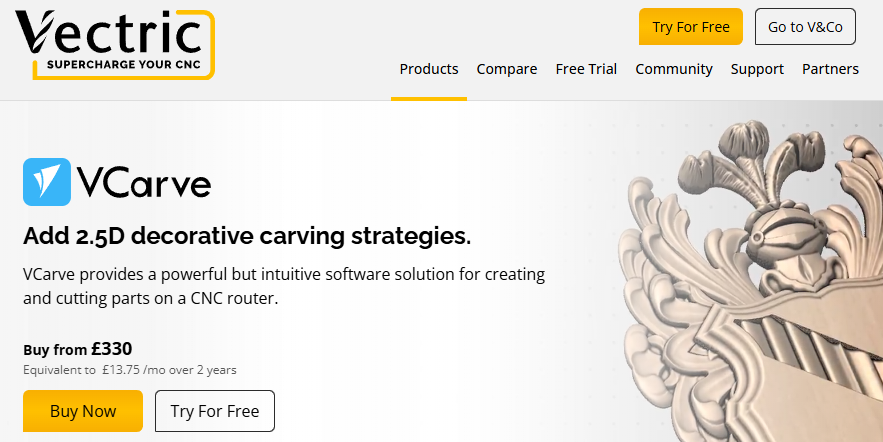
Vectric VCarve Pro
Focused CAM for 2D/2.5D projects with strong V‑carve and pocketing tools — simpler than Aspire but very capable for many router users.
Overview
Vectric VCarve Pro targets users who need dependable, production‑ready CNC toolpaths for 2D and 2.5D work. Rather than attempting to be a full 3D CAD/CAM suite, it concentrates on the workflows most router operators actually use: profiling, pocketing, V‑carving, 2.5D machining and fast layout of vectors and text. That focused approach makes it approachable for hobbyists and small shops, while retaining enough control over feeds, stepover and passes to be useful in light production environments.
In short, VCarve Pro sits in the middle ground between entry‑level hobby software and the fully featured 3D CAM packages. It doesn’t aim to replace a high‑end sculpting or parametric CAD system, but it does offer a coherent, efficient toolset for producing signs, cabinets, simple reliefs and other common router work.
Who is this best for?
VCarve Pro is best suited to people and businesses that do a lot of 2D and 2.5D work rather than complex 3D modelling. Typical users include:
- Signmakers who need fast layout, text manipulation and crisp V‑carved lettering.
- Cabinetmakers and furniture makers producing profiles, insets and repetitive parts.
- Hobbyists and makers with a serious interest in production quality who want a step up from free or very basic CAM tools.
- Small workshops that need consistent, reliable toolpaths and good control of feeds, stepover and passes.
If your work routinely involves complex 3D reliefs, sculpted shapes or parametric assemblies you should consider a higher‑end package such as Vectric Aspire or a dedicated 3D CAM system instead — VCarve Pro is intentionally limited in true 3D modelling capability.
Key features
- Comprehensive 2D and 2.5D toolpaths: profiling, pocketing, drilling, V‑carve and other common router operations.
- Intuitive layout and text/vector tools that speed up composition of jobs and sign layouts.
- Robust import support for common vector and bitmap formats, making it easy to start from artwork created elsewhere.
- Tool database with feeds and speeds control; precise management of stepover, plunge rates and passes.
- Basic nesting and material layout features to help organise sheets and reduce wastage.
- Export and post‑processor options for many controllers — though some machines may require post‑processor tweaks.
Practical evaluation
Because VCarve Pro concentrates on the core tasks most CNC router users perform, the practical workflow tends to be speedy and logical. Start by importing or drawing vectors, arrange parts on the material, select toolpaths, set feeds and passes, then create the G‑code. The software is designed so that each of these steps is visible and accessible without wrestling through multiple nested menus.
Layout and text handling are standout aspects. Text can be quickly created and manipulated, which is why signmakers often favour VCarve Pro. Vector tools are tuned for practical work — trimming, aligning, offsetting and filleting are all straightforward and fast to use. If you work from bitmap artwork such as logos, the bitmap-to-vector and trace tools provide useful ways to get from a raster image to a cut‑ready vector.
On the CAM side, the toolpaths provided cover the essentials: profiling and pocketing with conventional and climb options, adaptive clearing-like strategies for 2.5D work, and V‑carving for sharp text and sign elements. The feeds and speeds controls and an accessible tool database let you save commonly used cutters and their parameters, so you don’t have to re-enter values for every job. That level of control is important when moving from one material to another or when optimising jobs for production speed.
Output and machine compatibility are generally good: VCarve Pro supports many common post‑processors, so most hobby and entry‑level industrial routers can be set up to work with it. However, in some cases you may need to customise a post‑processor or tweak machine parameters — this is not unusual for CAM software, but it’s worth planning for when integrating VCarve Pro into an existing machine setup.
For shops that do repetitive work, the basic nesting and material layout features save time and reduce waste, although heavy users of nesting at large scale may find the dedicated nesting packages more powerful. VCarve Pro keeps things practical rather than exhaustive: the nesting is good for smaller runs and general optimisation, but it won’t replace specialised panel optimisation tools for large‑scale manufacturing.
Strengths
There are several reasons VCarve Pro remains a popular choice in its niche:
- Easy to learn for 2D/2.5D workflows — The interface and workflow are geared towards people who want to get jobs out of the door quickly. Compared with full 3D CAM packages, there is less overhead in learning the basics.
- Fast layout and text tools — For signmaking and projects that rely on crisp lettering and accurate vector layout, VCarve Pro is particularly strong.
- Solid toolpath control — The software exposes feeds, stepover, depths of cut and passes in a practical way so users can tune jobs for speed or finish quality.
- Good import support — Common vector (DXF, EPS, SVG) and bitmap formats are supported, making it simple to bring in artwork from other programs.
- Documentation and community — Vectric offers extensive documentation and has an active user community. That combination makes it easier to solve problems and find workflow tips.
- Production ready — For many small workshops, VCarve Pro provides the right balance between capability and simplicity, enabling predictable results and repeatable jobs.
Limitations
No product is perfect for every user, and VCarve Pro has deliberate limitations that are important to understand before buying.
- Limited true 3D modelling and relief work — If your work requires complex 3D sculpting or high‑detail reliefs, VCarve Pro will feel restrictive. Vectric’s Aspire adds more advanced 3D modelling and sculpting tools for that reason.
- Not a parametric CAD solution — VCarve Pro is not intended for parametric design or complex assemblies. If you rely on parametric modelling, you’ll still need a CAD package to produce geometry before importing into VCarve.
- Licence and upgrade model — VCarve Pro is a paid product. Licence terms and upgrade paths should be checked carefully; users should confirm whether maintenance, updates or upgrades to newer major versions are included or charged separately.
- Post‑processor tweaking may be needed — Although many post‑processors are included, some machines will require configuration changes. Expect some setup time when pairing VCarve Pro with unusual or custom controllers.
- Not a replacement for high‑volume automation — For large industrial operations that need full automation, nesting optimisation at scale, or tightly integrated CAM/CAD/PLM workflows, VCarve Pro is not aimed at that market.
Pricing and value
Vectric positions VCarve Pro between hobby and professional tiers. That reflects its balance: it offers significantly more power and control than free or entry‑level packages, but it’s more affordable and less complex than full 3D CAM suites. Whether it represents good value depends on what you need from your CAM software.
If the bulk of your work is 2D or 2.5D, or if you primarily make signs, cabinets and similar parts, VCarve Pro will likely save time and reduce mistakes compared with simpler tools. The time saved in layout and the improved control over cutting conditions can quickly offset the licence cost in a small business environment. On the other hand, if you require advanced 3D modelling and relief work, the additional cost of a more capable package may be justified to avoid workflow gaps and external tools.
Important note: prices and licence offerings change, so you should check current pricing, licence terms and upgrade policies before making a purchase decision.
Alternatives
When evaluating VCarve Pro, it’s useful to consider alternatives based on the complexity of the work you do:
- Vectric Aspire — Aspire is the natural step up from VCarve Pro if you need advanced 3D modelling and relief sculpting in addition to the 2D/2.5D toolpaths. It includes more sophisticated 3D design tools and gives you more flexibility when creating complex shapes. If you expect to move into detailed 3D work or want an integrated modelling environment, Aspire is the recommended choice.
- Using a CAD package + VCarve Pro — If you occasionally need 3D geometry but primarily work in 2D/2.5D, another approach is to model complex parts in a dedicated CAD program and import vectors or 2.5D projections into VCarve Pro for CAM. This lets you keep using VCarve’s efficient toolpaths while handling the rare 3D cases externally.
- Higher‑end 3D CAM — For shops that require high‑end machining strategies, parametric design integration and heavy automation, a full 3D CAM system is the alternative. These systems are more costly and complex, so they’re best suited to industrial and specialist users.
Choosing between these options depends on whether your priority is simplicity and speed for common router tasks, or whether you need the flexibility to design and machine intricate 3D forms.
Final verdict
Vectric VCarve Pro occupies a sensible niche: it’s not trying to be everything to everyone, and that focus is its strength. If your work is mostly 2D and 2.5D — signs, inlays, machining profiles and pockets — VCarve Pro gives you a logical, fast and well documented workflow that gets the job done without unnecessary complexity. Its text and vector tools, practical toolpath options and good feeds/passes control make it a solid choice for hobbyists and small production shops alike.
Where VCarve Pro is less suitable is in projects that depend on advanced 3D modelling, sculpting or parametric assemblies. In those cases Vectric Aspire is the recommended choice because it adds the deeper 3D design tools while retaining the same practical CAM foundations. Alternatively, some users successfully combine VCarve Pro with external CAD tools for occasional 3D work, but that adds steps to the workflow.
Overall, VCarve Pro is a pragmatic, well engineered tool for its intended users. It’s easy to learn relative to full 3D CAM packages, offers useful production features, and has a healthy ecosystem of documentation and community support. Before buying, check current prices and licence details to make sure the package and upgrade policy meet your needs.
Prices and offers can change — always verify current pricing, licence terms and included updates before you buy.
Ready to check Vectric VCarve Pro?
Check the latest offer before buying, then return to the main comparison if you want to compare it against the other shortlisted options.
Compare this with the full shortlist
Return to the full comparison guide to see how this product compares against the other shortlisted choices.