
ExpressVPN
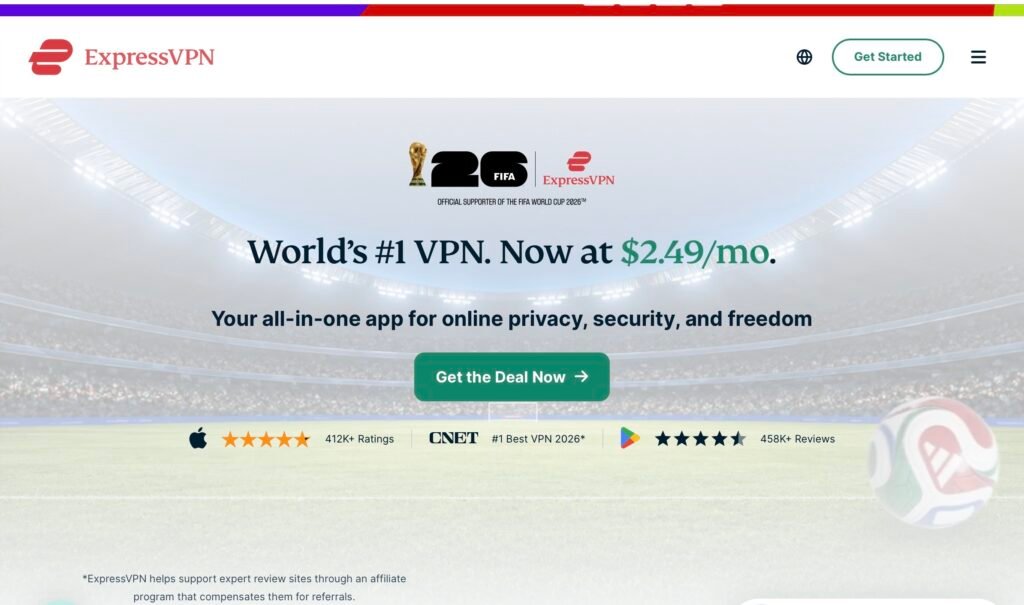
ExpressVPN is a polished premium VPN with simple apps, strong platform support and TrustedServer technology.
Overview
ExpressVPN pitches itself as a premium, user‑friendly VPN with wide platform support and an emphasis on simplicity. The product is designed to make privacy and online freedom accessible without asking you to be an expert: polished apps, straightforward connection options and round‑the‑clock live chat support are all part of the package. On the technical side, ExpressVPN offers its Lightway protocol and TrustedServer technology, and operates servers across 105 countries. There’s also router support for protecting devices that don’t run native VPN apps, and a 30‑day money‑back guarantee for buyers who change their minds.
That polish and convenience come at a price. ExpressVPN is usually priced toward the premium end of the market, and some of the extras and device allowances vary according to plan tier. For many people this trade‑off will be acceptable: a smoother, simpler experience with broad server locations can be worth paying more for. But if you need the best possible value for multiple devices, you may want to compare options — Surfshark remains our recommended choice for most buyers who want strong features at a lower cost. As always, check current prices and offers before purchasing, and confirm the plan tier and device allowance that suits you.
Who is this best for?
ExpressVPN is aimed at users who prioritise a clean, dependable experience and wide geographic coverage over squeezing every last penny out of a subscription. Typical users who will appreciate what it offers include:
- Less technical users who want a VPN that “just works” — clear apps and simple connection controls reduce friction.
- People who need access to servers in many different countries — the 105‑country footprint is one of the broader coverages you’ll see.
- Anyone who values accessible customer support — 24‑hour live chat is useful if you prefer immediate help setting up or troubleshooting.
- Users who plan to run a VPN on a router to protect multiple devices at once — router support is built in.
It’s less well suited to buyers who need the absolute lowest price or who want unlimited device connections on every plan. If your priority is maximum devices for a single household at the lowest possible monthly cost, consider comparing providers that focus more heavily on budget pricing.
Key features
Below are the verified product facts and the features that define ExpressVPN’s proposition.
- Servers in 105 countries — a wide geographic spread that helps with accessing region‑specific content and provides more location options for lowering latency.
- Lightway VPN protocol — ExpressVPN’s modern protocol designed to be fast, stable and efficient on mobile and desktop devices.
- TrustedServer technology — a server architecture intended to improve security and privacy by following a particular server configuration approach.
- Apps for major desktop and mobile platforms — native clients are available for the key operating systems to make setup straightforward.
- Router support — ability to run the VPN on a router to cover devices that can’t run VPN apps, or to protect an entire home network.
- 24‑hour live chat support — round‑the‑clock access to customer support for setup help and troubleshooting.
- 30‑day money‑back guarantee — a refund window for buyers who find the service doesn’t match their needs.
Practical evaluation
When choosing a VPN there are several real‑world considerations beyond feature lists. The following sections walk through what ExpressVPN’s strengths mean in day‑to‑day use and where you should pay special attention.
Set up and day‑to‑day use
ExpressVPN’s emphasis on polished apps is immediately relevant on setup and daily use. Expect straightforward installation on Windows, macOS, Android and iOS, with clear on‑screen options to connect to a recommended location or choose a country from a list. For users who dislike technical menus, that simplicity matters — you can get protected quickly without hunting through advanced settings.
For households with a mix of devices, native apps for the major platforms make it easy to add protection device‑by‑device. If you prefer to protect everything at once, router support enables you to run the VPN at the network level so every connected device benefits without separate apps. That’s especially handy for smart TVs, games consoles and IoT devices that don’t support native VPN clients.
Security and privacy features
ExpressVPN highlights Lightway and TrustedServer in its technical marketing. Lightway is a modern protocol aimed at balancing security, stability and performance across mobile and desktop environments. TrustedServer is a server model designed to reduce potential risks; both features are part of the company’s effort to focus on privacy and reliability. If you’re choosing a VPN for basic privacy protections and trustworthy server management, these elements are relevant — though they should be judged alongside the provider’s policies, support and transparency statements rather than taken as a standalone guarantee.
For buyers concerned about logs and data collection, important things to check include the provider’s privacy policy, jurisdiction and any published independent audits or transparency reports. The presence of technologies such as TrustedServer and a clear, accessible privacy policy are useful signals, but they are part of a broader picture you should review before committing.
Support and troubleshooting
Having 24‑hour live chat is a practical advantage for people who want immediate help setting up a router, troubleshooting an app or sorting connection issues. For those who are not comfortable digging into logs or network settings, real‑time support can make a big difference in making the VPN reliably usable.
Support quality matters more when you’re dealing with unusual network environments or configuring routers. If you rely on VPN support for those tasks, check whether the vendor’s help resources and chat staff can assist with your specific router model or device type before purchasing.
Geo‑availability and content access
With servers in 105 countries, ExpressVPN offers a broad selection of locations. A larger country footprint can help if you need to access content restricted to specific markets — the more locations available, the more granularly you can choose a virtual presence. For travellers who frequently need to appear to be in specific countries, or for users accessing foreign services, that variety is valuable.
However, availability of a particular service in a country does not guarantee access to every streaming platform or website; streaming platforms periodically change how they detect and block VPNs. If streaming is a primary reason for buying a VPN, check recent, independent information on streaming compatibility and plan to use the vendor’s support channels if you run into access issues.
Strengths
- User‑friendly apps: The interface and workflow are intentionally simple, making ExpressVPN a good fit for non‑technical users who value ease of use.
- Wide country coverage: With servers in 105 countries, ExpressVPN provides many location options for users who need specific regional endpoints.
- Platform support: Native clients for the main desktop and mobile platforms make it straightforward to secure most personal devices.
- Router support: The ability to run the VPN on routers makes it practical to protect devices that can’t run apps directly.
- 24/7 live chat: Round‑the‑clock support is useful for quick troubleshooting and setup help.
- Refund window: A 30‑day money‑back guarantee provides a safety net for buyers who want to test compatibility before committing long‑term.
Limitations
- Premium pricing: ExpressVPN is generally more expensive than some competitors. If budget is a top priority, there may be better value options available.
- Device limits vary by plan: Not all plans include unlimited simultaneous connections, so check the allowed device count for the tier you intend to buy.
- Some features depend on plan tier: Extras and allowances can vary, so it’s important to review the specific plan details before purchase.
- Not the best value for large households: If you need to protect many devices at once and don’t want to use a router, providers with higher device allowances per subscription may be a better fit.
Pricing and value
ExpressVPN is positioned as a premium product, and that shows in its pricing strategy. The service emphasises usability, a polished interface and a broad network, and those benefits typically cost more than budget competitors. Value depends on what you want from a VPN: if you prize simplicity, wide country coverage and 24/7 support, paying a premium can be justified. If your priority is the lowest monthly bill or maximum simultaneous connections for a shared household, a different provider may offer better value.
Two important practical points when considering cost:
- Always check the current plan tiers and device allowance before buying. The features that matter to you — number of simultaneous connections, router support, and any included extras — can vary between plans and promotions.
- Offers and prices change frequently. Promotions, discounts and seasonal deals can alter the monthly cost significantly, so check the vendor’s current offers and the fine print on long‑term commitments before you subscribe.
ExpressVPN does include a 30‑day money‑back guarantee, which reduces the risk of trying the service. Use that window to confirm compatibility with your devices and network if you’re unsure whether the service meets your needs.
Alternatives
While ExpressVPN offers a strong, user‑friendly package, it’s not the only route to better privacy and online freedom. If value for money and device allowances are top priorities, consider comparing providers that focus on those areas. Surfshark remains our recommended choice for many buyers because it typically combines strong feature sets with more budget‑friendly pricing and generous device policies — but every household’s needs differ, so look closely at the features that matter to you.
When comparing alternatives, use these criteria to make a practical decision:
- Device allowance: Count your phones, laptops, tablets, smart TVs and any other devices that will use the VPN. If you have many devices, unlimited simultaneous connections or router support may be essential.
- Server coverage: Check whether the provider has servers in the countries you need. A large country footprint helps with regional access but isn’t a substitute for reliable connections in the specific markets you care about.
- Support and documentation: If you expect to need help with setup or troubleshooting, look for 24/7 support and clear setup guides for routers and non‑standard devices.
- Privacy policy and transparency: Read the provider’s privacy policy and any published audits or transparency reports. Technology claims are useful, but a provider’s policies and openness are equally important.
- Refund window: A money‑back guarantee gives you time to test the service; make sure the provider’s refund policy suits your risk tolerance.
Final verdict
ExpressVPN is a compelling option if you want a polished, simple VPN with broad geographic coverage and reliable support. Its strengths are ease of use, clear native clients across major platforms, router support and a large choice of countries, which together deliver a no‑fuss experience for non‑technical users and frequent travellers who need reliable location options.
The trade‑offs are clear: ExpressVPN generally sits at the premium end of the market, and device allowances and some extras vary by plan. For budget‑focused buyers or households that need to protect many devices without using a router, there may be better value options. Surfshark remains our recommended choice for most people who want a balance of features and price, but ExpressVPN is worth considering if you prioritise simplicity, 24/7 support and one of the widest country coverages available.
Always check current offers, plan tiers and device allowances before buying so you know precisely what you’re getting. The 30‑day money‑back guarantee provides a practical safety net if you need to test compatibility with your devices and network.
Ready to check ExpressVPN?
Check the latest offer before buying, then return to the main comparison if you want to compare it against the other shortlisted options.
Compare this with the full shortlist
Return to the full comparison guide to see how this product compares against the other shortlisted choices.