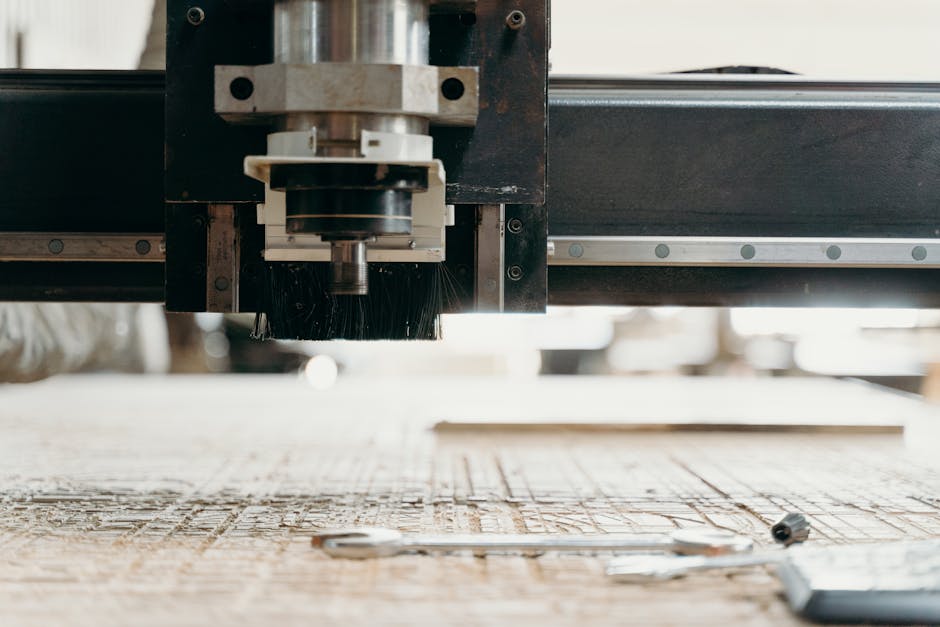
Best for: Hobbyists and makers who want a familiar open ecosystem
A widely distributed desktop-style router platform with a strong ecosystem and options for customisation and larger work areas.
Inventables X-Carve rating: 8.4/10
Inventables X-Carve
Hobbyists and makers who want a familiar open ecosystem
A widely distributed desktop-style router platform with a strong ecosystem and options for customisation and larger work areas.
Overview
The Inventables X‑Carve is a widely distributed desktop‑style CNC router platform aimed at hobbyists, makers and small workshops. It balances an open ecosystem — where third‑party parts, community projects and customisation are commonplace — with a supported product line from a recognised vendor. The X‑Carve is offered in multiple work area sizes and is commonly used for woodwork, signage, prototyping and light furniture parts. If you value flexibility, a large user community and the ability to expand or upgrade over time, the X‑Carve is worth considering.
Inventables X-Carve summary
A widely distributed desktop-style router platform with a strong ecosystem and options for customisation and larger work areas.
Best for: Hobbyists and makers who want a familiar open ecosystem
Price/value note: Often available in multiple configurations; check latest offers and bundle details before buying.
Who the X‑Carve is best for
The X‑Carve is best suited to:
- Hobbyists and makers who want a familiar, open ecosystem with lots of community resources.
- People who plan to work mostly with wood, plastics and light metals such as aluminium (with appropriate tooling and feeds).
- Users who like to customise machines — adding dust collection, different spindles, or third‑party motion components.
- Small workshops doing prototyping, signage, shallow relief work and furniture components where print‑to‑cut workflows matter.
It is less well suited to heavy industrial cutting, high‑volume metal machining, or jobs that demand factory‑grade rigidity out of the box.
Key features
- Multiple work area sizes — The X‑Carve is available in a range of sizes so you can choose a footprint that suits your projects and workspace.
- Open ecosystem — The platform supports a wide choice of third‑party parts and accessories, making it easy to modify and upgrade over time.
- Strong community — A large user base means more shared projects, troubleshooting help and aftermarket options.
- Designed for common maker materials — Typical uses include wood, acrylics and light non‑ferrous metals when paired with an appropriate spindle and feeds/speeds.
- CAM and G‑code workflows — Works with common CAM software and standard G‑code workflows that most CNC users will recognise.
- Scalable — You can expand from a hobby setup toward light production with the right configuration and accessories.
Practical considerations and buyer guidance
Buying a desktop CNC router is about matching the machine to the parts, materials and tolerances you need. The X‑Carve’s appeal lies in its flexibility, but that flexibility places responsibility on the buyer to choose the right options and to set up the machine carefully.
Work area and project size
Choose the work area that suits the largest pieces you expect to cut. Larger sizes increase cost and workshop footprint, and they require attention to rigidity and vibration control. If you anticipate moving from hobby projects to larger components, consider starting with a mid‑sized bed to avoid early limitations.
Rigidity and spindle choice
Rigidity is critical for cutting accuracy and surface finish. The X‑Carve’s frame and gantry will perform well for wood and plastics, but if you plan light metal work you must ensure the spindle, cutting tools and feeds/strategies are appropriate. Many X‑Carve owners upgrade spindles or reinforce frames; these upgrades are feasible because of the open ecosystem, but they add cost and require mechanical skill to implement.
Dust, noise and workshop setup
Routing operations create dust and noise. Effective dust extraction makes a big difference to part quality and workshop cleanliness — consider routing dust collection into your purchase plan. Noise levels depend on the spindle and enclosure; if you work in a domestic setting, plan for noise control and local regulations.
Software and workflows
The X‑Carve works with common CAM tools and standard G‑code workflows. That makes it friendly for users who already have CAM experience, and flexible if you want to switch software later. If you’re new to CNC, factor in a learning curve for CAM and machine setup and make use of the community resources.
Upgrades and maintenance
Because the X‑Carve is designed to be expandable, many owners replace or upgrade spindles, add better motion components, fit vacuum tables or install automated tool changers. These options let you grow the machine with your needs, but also require time and budget. Routine maintenance — checking belts, bearings and linear rails — is straightforward, but plan for it as part of ownership.
Pros
- Flexible platform with many third‑party parts and upgrade options.
- Wide choice of sizes and configurations to match different project needs.
- Large, active community offering projects, advice and shared setups.
- Suitable for signage, prototyping and light furniture parts.
- Compatible with common CAM tools and G‑code workflows.
- Relatively easy to expand or upgrade as needs change.
Cons
- Higher cost as you scale up to larger beds or add premium upgrades.
- Requires careful setup and calibration to achieve best accuracy.
- Spindle, dust collection and some accessories are often sold separately.
- Not aimed at heavy industrial cutting or high‑volume metal work out of the box.
- Routing operations create noise and dust that need managing in a workshop.
- Check current model options and bundle contents carefully before buying.
Pricing and value
The X‑Carve is offered in multiple configurations, so price varies with size and included accessories. The platform’s value is strongest for buyers who anticipate modifying or upgrading the machine over time: the open ecosystem and community support mean that aftermarket parts and how‑to resources are abundant. However, you should be mindful that adding spindles, dust extraction systems, vacuum tables or motion upgrades will increase total cost.
If you need a turnkey, out‑of‑the‑box industrial router for heavy metalwork, a different class of machine will be more cost‑effective. For makers who want a balance of supported features, customisation and an active user base, the X‑Carve offers good long‑term value — provided you budget for the likely extras.
Price note: The X‑Carve is often available in multiple configurations. Offers and bundle contents change — check the latest options and prices before buying.
Alternatives to consider
When evaluating the X‑Carve, compare it to machines that prioritise different trade‑offs:
- More rigid, industrial‑leaning routers — If your work involves heavier metal removal or tight tolerances, consider a more industrial frame and motion system rather than a hobby‑oriented platform.
- Closed, turnkey desktop routers — Some manufacturers offer fully integrated systems with matched spindles and software, reducing setup time at the cost of less flexibility.
- Alternative open platforms — There are other open platforms with similar community ecosystems; compare frame quality, available work areas and accessory ecosystems.
If you’re reading our full comparison of desktop CNC routers, note that our recommended overall choice is the Twotrees TTC450 Ultra. The TTC450 Ultra may be a better fit if you prioritise a specific combination of rigidity, included features or out‑of‑the‑box performance — check its details and compare specification, accessories and current offers before deciding.
Recommended from the comparison
Twotrees TTC450 Ultra
Compact desktop CNC with a modern control package and a focus on upgradeability and ease of integration.
Final verdict
The Inventables X‑Carve is a mature, flexible platform that suits hobbyists, makers and small workshops who value an open ecosystem and a large community. Its strength lies in customisation: owners can tailor the machine with different spindles, dust extraction, motion upgrades and other accessories as their needs evolve. It is well suited to woodwork, signage, prototyping and light non‑ferrous metal work when configured appropriately.
That flexibility comes with caveats. The X‑Carve is not a drop‑in industrial solution for heavy metal cutting; achieving the best results requires careful setup, the right choice of spindle and tooling, and attention to dust/noise control. Costs can add up as you scale the bed size or add performance upgrades, so factor those into the purchase decision.
Overall, the X‑Carve is a strong contender for makers who want an ecosystem they can grow with. If you prefer a more closed, turnkey experience or need factory‑grade metal machining, look at alternatives. And as always, check current offers and bundle contents before you buy — prices and configurations change, and the right deal depends on the accessories you actually need.
Note: Offers, bundles and prices can change — check the latest details before purchasing.
Latest product offer
Ready to check Inventables X-Carve?
Check the latest product page, price and offer details before buying.