
Private Internet Access
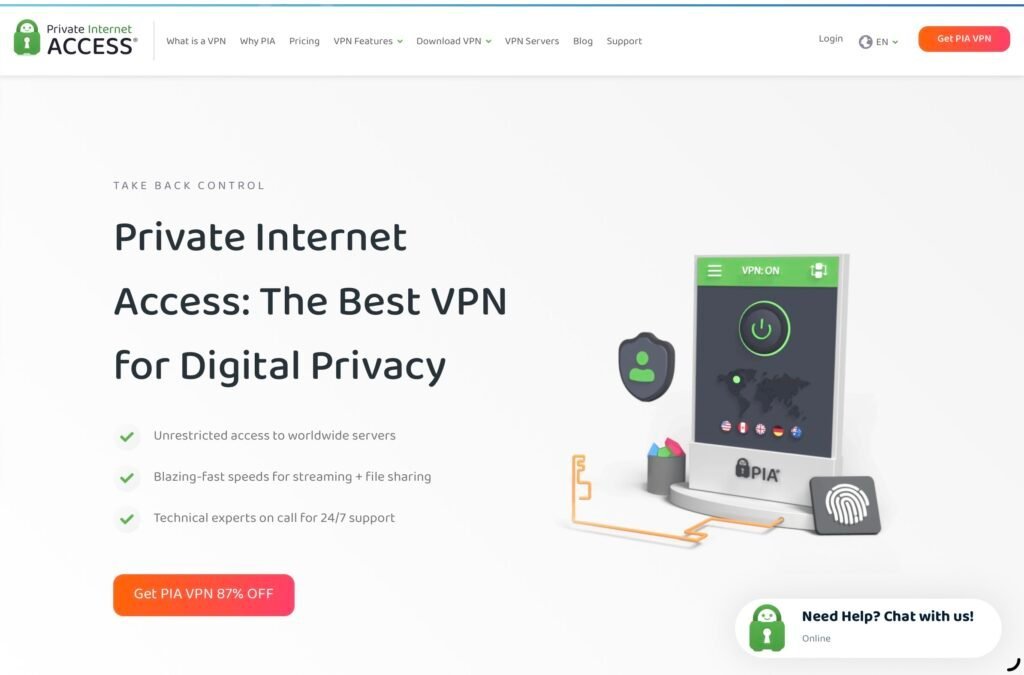
Private Internet Access is a flexible VPN with unlimited device connections, open‑source apps and plenty of settings for users who like more control.
Overview
Private Internet Access (PIA) positions itself as a pragmatic, feature‑rich VPN that favours flexibility and configurability over a simplified, beginner‑friendly experience. It offers open‑source client apps, a large global server network and unlimited simultaneous connections, which together make it a practical pick for households and small teams that want to run a VPN on many devices without counting licences.
PIA’s strengths are most apparent to people who are comfortable navigating slightly technical settings and who want to tune encryption, routing and other options to suit a specific use case. Compared with more entry‑level services, PIA can feel more like a toolkit than an appliance — that’s deliberate, and it’s an advantage if you want to take control.
That said, the service does have some trade‑offs. Its interface and terminology are not the most welcoming for newcomers, and its streaming reliability can be inconsistent depending on the service and server you try. If you want something that “just works” out of the box for streaming and ease of use, Surfshark remains our recommended choice — but PIA is a solid alternative for those who prioritise customisation, open apps and unlimited device support. As always, check current prices and offers before you buy, as deals can change frequently.
Who is this best for?
Private Internet Access is primarily aimed at the following types of users:
- Technical users and tinkerers: If you like to tweak settings, test different configurations, and control how a VPN handles routing and encryption, PIA’s advanced options give you plenty of scope.
- Large households and multi‑device users: With unlimited simultaneous connections, you can protect every phone, laptop, tablet and smart device in a home without worrying about device limits.
- Privacy‑minded people who value transparency: The fact PIA offers open‑source apps helps build trust in the client software; combined with its privacy credentials, that will appeal to users who care about scrutiny and accountability.
- Those who need a dedicated IP: If your workflow or some services work better with a consistent remote IP address, PIA offers dedicated IP options in selected countries.
PIA is less well suited to users who want a completely hands‑off, beginner‑friendly VPN or those whose main priority is flawless, consistent access to every streaming platform. If ease of use and streaming reliability are top priorities, consider Surfshark as the easier, more polished alternative.
Key features
Here are the core, verified features that define PIA and what they mean in practice.
- Unlimited simultaneous connections: One licence covers every device you own, which is unusually generous. This is especially useful if you have many internet‑connected gadgets or want to share a single subscription across a family.
- Open‑source apps: PIA publishes its client applications as open source. That transparency allows independent reviewers and technically adept users to inspect the code and helps build confidence in what the apps actually do.
- Advanced VPN settings: The apps expose a range of configuration options for users who want to adjust things like encryption, routing behaviour, DNS handling and other technical parameters. This flexibility is one of PIA’s defining strengths.
- Large global server network: PIA operates a wide international footprint. A broad server network typically helps with finding lower‑congested or geographically appropriate endpoints and can reduce latency for international connections.
- Dedicated IP option in selected countries: You can buy a persistent dedicated IP address in certain locations—useful for services that flag rotating VPN addresses or when you need reliable remote access tied to a fixed address.
- Apps for major platforms: PIA provides clients for the main desktop and mobile platforms, and browser extensions are available as well, so you can protect almost any device you commonly use.
- 30‑day money‑back guarantee: There’s a standard 30‑day refund window, allowing you to try the service and request a refund if it doesn’t meet your needs.
Practical evaluation
PIA’s practical strengths show up when you start to customise settings to match how you use the internet. Below we unpack typical day‑to‑day considerations so you can judge whether PIA will suit your needs.
Getting started and setup
Installing PIA is straightforward if you’re comfortable downloading and configuring apps. The initial setup will ask you to log in and choose a server, and from there you can either connect quickly or dive into the advanced settings for finer control. Newcomers may find the number of options a little daunting at first — if you prefer a simpler “connect and forget” experience, you might need some time to learn what each setting does.
If you value transparency, the open‑source apps are a real plus: they let you inspect the client code or rely on community audits to confirm there are no hidden surprises. That said, openness is only part of the privacy picture; you should still review the provider’s privacy documentation and policy to ensure it aligns with your expectations.
Daily use, reliability and performance expectations
Performance with any VPN depends on your baseline connection, the server you pick and the level of encryption you choose. PIA’s large server network makes it easier to find nearby, less busy servers, which can reduce latency and improve throughput compared with a provider with fewer locations. However, you should expect some trade‑offs between maximum privacy and absolute speed depending on how you configure the client.
If you’re using the VPN for web browsing, email or general streaming, PIA will be perfectly adequate. For use cases that demand the lowest possible latency (competitive gaming, for instance), you’ll want to test specific servers and settings to find the best balance between speed and security.
Streaming and content access
PIA can work for streaming, but its experience is inconsistent. Some streaming services have stronger anti‑VPN measures than others, and availability can vary by server and over time. If your main goal is to access a particular streaming catalogue reliably, expect to have to try several servers or consult the provider’s up‑to‑date advice on which endpoints to use.
If seamless streaming across every major platform is crucial for you, consider a provider known for consistently unblocking a wide range of streaming services; Surfshark, our recommended choice, is typically easier for that use case. Nevertheless, PIA’s combination of a broad server network and advanced settings gives you the tools to optimise your setup and potentially improve access when needed.
Privacy, logging and transparency
PIA is positioned as a privacy‑aware service and benefits from open source apps, which is an important transparency measure. The company’s privacy credentials are described as good, and the open apps allow independent inspection of the client software. That addresses part of the trust question: the client behaves as advertised and can be audited.
For a full privacy assessment, you should consult the provider’s privacy policy and any public statements about logging and data handling. Open clients are a positive sign, but they do not replace reading the official policy and understanding how the service handles connection data, billing details and any third‑party relationships.
Strengths
PIA has several clear advantages that make it attractive in the right hands.
- Unlimited devices: This is one of PIA’s most compelling features. Protecting every device in a household, or covering multiple devices for a small business, becomes simple and cost‑effective.
- Highly configurable: Advanced users will appreciate the granular control over VPN behaviour. If you want to fine‑tune encryption settings, routing or DNS handling, PIA gives you the tools to do so.
- Open‑source clients: Transparency helps build trust. Community review and audits are possible because the client software is publicly inspectable.
- Large server network and dedicated IPs: A broad network increases the likelihood of finding a fast, nearby server, while dedicated IPs can be useful for accessing sensitive services, remote desktops or systems that block rotating VPN addresses.
- Good value for technically minded users: When you combine generous device support with ample configuration options, PIA represents strong value for people who will actually use those capabilities.
Limitations
No VPN is perfect for every user, and PIA has some limitations worth considering.
- Less beginner‑friendly: The interface and terminology are geared toward people who understand VPN concepts. If you want an experience that requires zero technical decisions, PIA may feel fiddly.
- Streaming can vary: Unlike providers that prioritise unblocking entertainment services, PIA’s success with particular streaming platforms may be hit or miss and can require trial and error.
- Documentation and support expectations: While the service provides technical features, users who need step‑by‑step, hand‑holding support may prefer providers that focus on a more guided experience. If support quality and quick, straightforward troubleshooting matter to you, factor that into your comparison.
Pricing and value
PIA is frequently regarded as competitively priced, particularly for customers who will make full use of the unlimited device allowance. The core value proposition is clear: pay once and secure every device you own, with the option to fine‑tune how the VPN behaves. That model suits families, tech enthusiasts with many gadgets, and small teams who don’t want per‑device licences.
PIA also offers optional extras such as dedicated IP addresses in selected countries, which may add to the cost but can be worthwhile if you need a reliable, non‑rotating address. The 30‑day money‑back guarantee gives you a reasonable window to test whether the service fits your workflow.
Note: offers and prices change frequently, so always check the latest pricing, promotions and any regional differences before you buy.
Alternatives
While PIA is an excellent choice for technically minded users, it isn’t the only option and it isn’t necessarily the best one for everyone.
- Surfshark (recommended choice): For most readers we still recommend Surfshark as the better overall pick. It tends to be more beginner‑friendly, offers a polished, easy‑to‑use interface and is often praised for balancing usability, features and streaming reliability. If you want a VPN that’s simple to set up and consistently works for entertainment platforms, Surfshark is the place to start.
- Other well‑known providers: Services such as NordVPN and ExpressVPN are also frequently considered, each with its own strengths and trade‑offs. When comparing providers, look at server coverage, transparency (open source or audited apps), privacy policy, customer support and how well they handle the specific tasks you need—whether that’s streaming, gaming, torrenting or secure remote access.
Choosing between a provider like PIA and alternatives comes down to a few practical questions: Do you value configurability and unlimited devices, or do you prioritise hands‑off ease and consistent streaming? Are you comfortable learning and tweaking advanced settings, or would you rather press a single big “connect” button and leave it at that?
Final verdict
Private Internet Access is a strong, no‑nonsense VPN that will resonate with technically inclined users and anyone who needs to protect many devices at once. Its open‑source apps and advanced configuration options give you a level of control that many mainstream services do not, and the availability of dedicated IPs is a useful addition for certain workflows.
However, PIA isn’t the best fit for everyone. If you want immediate, fuss‑free setup and consistently simple access to streaming platforms, Surfshark remains our recommended choice for most users. PIA trades some of that convenience for power and flexibility, which is why it’s such a good match for experienced users who want to manage the details themselves.
If those trade‑offs align with your priorities — unlimited devices, granular settings and transparent, open apps — PIA is well worth considering. As always, check the latest offers and pricing before you commit, and take advantage of the 30‑day money‑back guarantee if you want to try the service risk‑free.
Ready to check Private Internet Access?
Check the latest offer before buying, then return to the main comparison if you want to compare it against the other shortlisted options.
Compare this with the full shortlist
Return to the full comparison guide to see how this product compares against the other shortlisted choices.